Flat 2D preview — not a 3D in-game render.
/give command
/give @p minecraft:iron_chestplate
This is a flat 2D preview to show the material/pattern combination — not a 3D in-game render.

Preview every armor trim pattern and material combination, and get the ready /give command.
← All 137 toolsFlat 2D preview — not a 3D in-game render.
/give @p minecraft:iron_chestplate
This is a flat 2D preview to show the material/pattern combination — not a 3D in-game render.
Armor trims provide no statistical buffs, defense increases, or durability boosts to your gear. They are purely cosmetic visual customizations introduced in update 1.20 that alter the appearance of helmets, chestplates, leggings, and boots.
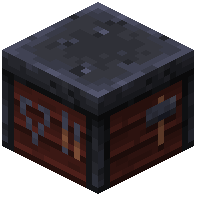
Place a smithing_table, then insert your smithing template into the leftmost slot, the piece of armor in the middle slot, and one ingot or crystal such as minecraft:diamond into the rightmost slot. The process consumes the template and material while preserving existing enchantments.
Place 7 diamonds in a U-shape on a crafting_table, place 1 compatible base block like cobblestone or netherrack in the bottom center, and place the target template in the top center. This recipe consumes the materials and produces 2 identical smithing templates.
Exactly 10 different materials can trim armor: emerald, redstone, lapis lazuli, amethyst shard, nether quartz, netherite ingot, diamond, gold ingot, iron ingot, and copper ingot. Our Armor Trim Generator previews these 10 color palettes across all armor variants before crafting.
You cannot remove an applied trim or revert armor to its untrimmed state in vanilla survival, but you can overwrite it at a smithing_table. Applying a new template and material replaces the existing pattern and color permanently.