
Quick guides
How to use this tool, and the questions players ask most.
How do you apply an 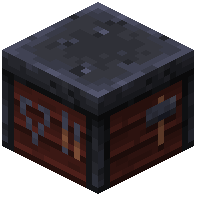 armor trim in Minecraft?
You apply an armor trim by placing a Smithing Template, an armor piece, and an ingredient into a Smithing Table. This operation consumes the template and material while permanently modifying the visual appearance of the armor item.
How do you duplicate an armor trim in Minecraft?
Duplicate a smithing template by placing 7 diamonds, the template, and 1 specific target block such as cobblestone or netherrack in a Crafting Table. The recipe consumes the items and produces 2 matching templates.
How do you remove or change an armor trim in Minecraft?
You cannot remove an armor trim once applied, but you can overwrite it with a new pattern and material in a Smithing Table. Using a Grindstone only removes enchantments and will not revert trimmed armor to its default state.
Where do you find the Silence armor trim in Minecraft?
The Silence Armor Trim template generates exclusively in chests within Ancient City structures in the Deep Dark. Each chest has a 1.2% chance to contain the template, making it the rarest trim in the game.
How do you give trimmed armor with commands in Minecraft?
Use the command /give @p diamond_chestplate[trim={material:'minecraft:redstone',pattern:'minecraft:silence'}] 1 in Java Edition 1.20.5 or later. This assigns the specified trim pattern and mineral palette directly to the spawned armor item.
More on 9Minecraft
Other tools on 9Minecraft you may find useful.


More Skins & Capes tools
Other tools on 9Minecraft you may find useful.


