Resource Pack Recolor Tools
Recolor the sky, enchant glint, item/block textures, and mob skins with live canvas previews.

Quick guides
How to use this tool, and the questions players ask most.
How to recolor Minecraft textures?
Extract the default jar file, navigate to assets/minecraft/textures/block or item, and modify the target .png file using hue adjustment in an image editor. Save the modified image with the original file dimensions, such as 16x16 pixels.
How to change  painting textures in Minecraft?
Replace the individual painting .png files located in assets/minecraft/textures/painting/ inside your pack directory. Minecraft supports custom resolutions like 32x32 or 64x64 pixels per painting, provided the aspect ratio matches the original definition.
How do you change the enchantment glint color in Minecraft?
In Java Edition 1.20 and newer, glint colors are determined by grayscale textures at assets/minecraft/textures/misc/enchanted_glint_item.png and enchanted_glint_entity.png blended with hardcoded render logic. You can generate custom tint palettes using Resource Pack Recolor Tools to preview glint blend modes.
How to recolor 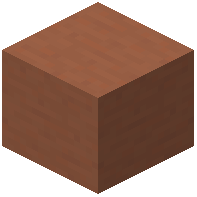 terracotta in Minecraft?
Place 8 uncolored terracotta blocks in a crafting table surrounding 1 dye of any chosen color to produce 8 stained terracotta blocks. To change their resource pack appearance directly, edit the files in assets/minecraft/textures/block/ like white_terracotta.png.
Why are my Minecraft textures messed up?
Missing or distorted textures display as a #F800F8 magenta and black grid when file paths or file names contain uppercase letters or illegal characters. Ensure all texture file names use only lowercase letters, numbers, and underscores, matching the target version's pack_format integer.
More on 9Minecraft
Other tools on 9Minecraft you may find useful.


More Resource Packs tools
Other tools on 9Minecraft you may find useful.


